What Is a Web Crawler? How Search Engines Discover Your Website
Learn what a web crawler is, how search bots discover and render pages, what blocks them, and how to check whether your website can be crawled.

Every page that appears in a search engine must first be found. Before a search engine can understand your content, add it to an index or consider it for a search query, an automated system has to discover the URL and request the page from your server. That system is commonly called a web crawler.
Web crawlers are one of the least visible parts of digital presence, but they sit underneath almost everything we call SEO. A well-written page cannot earn search visibility if the crawler cannot find it. A technically sound page can still be missed if it is orphaned from the rest of the site. And a crawler may reach a URL without seeing the same content that appears in a user’s browser.
This guide explains what a web crawler is, how search engine bots discover and process pages, what can block them, and how to check whether your own website is crawlable.
Web Crawler Definition
A web crawler is an automated client that discovers URLs and requests web resources. Search engine crawlers follow links, read sitemaps, fetch pages, process responses, extract new links and may render JavaScript before passing information to indexing systems.
Key Takeaways
- Crawling is how search engines discover and retrieve pages. It is not the same as indexing or ranking.
- Links and XML sitemaps are two of the main ways crawlers find URLs.
- A crawler makes requests to your server, so status codes, redirects, robots rules and server reliability all affect access.
- Modern search crawlers may render JavaScript to see content that is not present in the initial HTML.
- Robots.txt is a crawler instruction system, not a password or security control.
- Most small websites need sound crawlability, not elaborate crawl-budget optimization.
What Is a Web Crawler?
A web crawler is software that visits URLs automatically and processes the responses it receives. It may also be called a bot, spider, robot or automated agent. Search engines use crawlers to discover new pages, revisit known pages and collect information for their search indexes.
The word crawler comes from the way these systems move through connected resources. A crawler begins with known URLs, requests those pages, extracts links, adds eligible URLs to a queue and repeats the process. The web’s linking structure gives the crawler paths to follow.
Googlebot is Google’s best-known search crawler. Bing operates Bingbot. Website-audit platforms also use crawlers, but their job is different: they scan a site on behalf of the site owner to identify broken links, redirect chains, duplicate pages, missing metadata and other technical issues.
Crawler, Browser, Scraper and Indexer: What Is the Difference?
| System | Primary action | Typical purpose |
| Web crawler | Automatically discovers and requests URLs, often by following links. | Search discovery, monitoring or site auditing. |
| Browser | Requests and displays a page for a person, including its interactive interface. | Human access and interaction. |
| Scraper | Extracts selected data from pages or services. | Data collection, monitoring or reuse. |
| Indexer | Analyzes and organizes retrieved information for later search or retrieval. | Storage, understanding and retrieval. |
The boundaries can overlap. A crawler may extract data, and a scraper may follow links. The useful distinction is the job the system is designed to perform. Search crawlers traverse the web to support discovery and indexing. Scrapers are usually built to collect particular information.
How a Web Crawler Works Step by Step
The exact infrastructure varies between search engines, but the following sequence provides a practical model of what happens when a crawler processes a page.
- The crawler discovers a URL. It may find the address through a link, an XML sitemap, a redirect or a URL already known to the system.
- The URL enters a crawl queue. The search engine decides when and whether to request it based on factors such as prior knowledge, perceived value, change frequency, server capacity and duplicate patterns.
- The crawler checks access rules. A compliant crawler reads robots.txt and evaluates the rules that apply to its user-agent token.
- The crawler makes an HTTP request. It contacts the server and asks for the URL, much like a browser requests a page.
- The server returns a response. The response includes a status code, headers and, when available, the resource itself. The crawler may follow redirects or react to errors and rate limits.
- The crawler parses the response. For an HTML page, it can inspect text, metadata, structured data and links in the initial document.
- The crawler extracts additional URLs. Crawlable links can be placed into a queue for future requests, extending discovery across the site and the wider web.
- The system may render the page. If important content depends on JavaScript, a rendering service may execute the code and process the resulting page.
- The information moves to indexing systems. Crawling retrieves the material; indexing systems decide how to understand, organize and store it.
- The crawler returns later. Known pages may be revisited to find updates, confirm redirects and keep search information fresh.
How Crawlers Discover New Pages
A crawler cannot request a page until it knows the URL. Discovery is therefore the first crawlability problem to solve.
Internal Links
Internal links connect one page on your site to another. They help people navigate and give crawlers paths into deeper content. Important pages should be reachable from other findable pages through normal crawlable links, not only through search boxes, scripts or interactions that do not expose a usable URL.
External Links
Links from other websites can introduce a crawler to pages it has not seen before. They also connect your site to the wider information environment around a topic. This does not mean every page needs a backlink before it can be crawled, but external links remain one source of discovery.
XML Sitemaps
An XML sitemap is a machine-readable list of important URLs. It can help a search engine discover new or updated pages, particularly when the site is large, new, media-rich or difficult to navigate. A sitemap is a discovery signal. It does not guarantee crawling, indexing or ranking.
Redirects and Previously Known URLs
Crawlers also encounter URLs through redirects and through their own history. If a known URL redirects permanently, the crawler can follow the response and discover the new destination. Clear, direct redirects are easier to process than long chains or loops.
What a Search Engine Crawler Can See
A crawler does not experience a website exactly as a person does. It communicates with the server, receives code and resources, and processes them according to its capabilities.
Depending on the crawler and the page, it may evaluate:
- The HTTP status code and response headers.
- The HTML document returned by the server.
- Page titles, headings, text and metadata.
- Crawlable links and their anchor text.
- Images, video references and descriptive attributes.
- Structured data that describes visible content.
- Canonical, noindex and other robots directives.
- Content and links produced after JavaScript rendering.
Why JavaScript Rendering Matters
Some websites return a useful, content-rich HTML response immediately. Others return a lightweight application shell and rely on JavaScript to add the main text, links and interface. Google Search can render JavaScript, but rendering is a separate processing step and not every crawler has the same capability.
If important content only appears after a complex interaction, fails when a resource is blocked, or has no unique URL, crawlers may receive an incomplete version. Server-side rendering or pre-rendering can improve reliability and often improves speed for users as well.
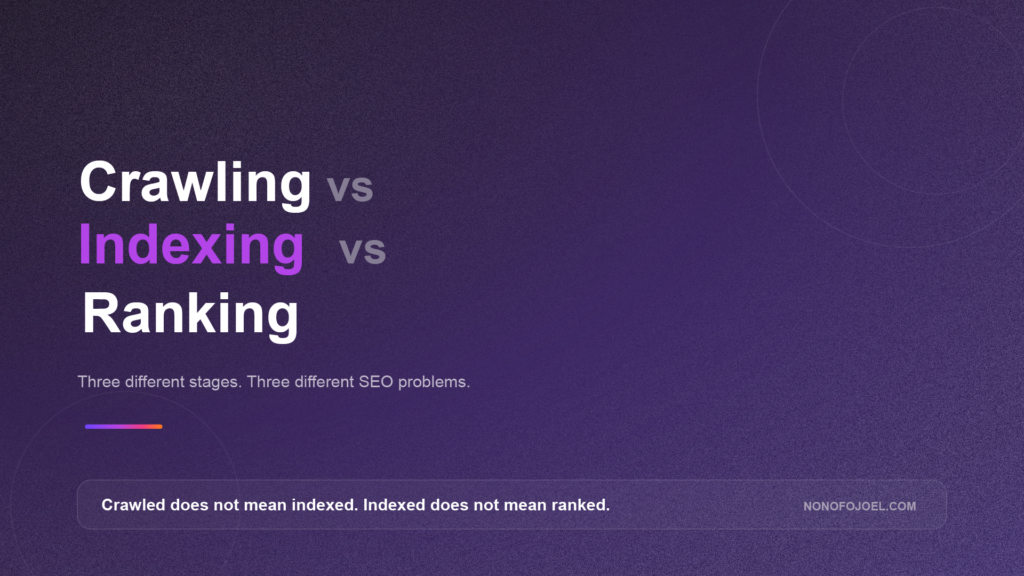
Crawling Is Not Indexing
Crawling retrieves a resource. Indexing analyzes and organizes information from that resource. A search engine may crawl a page and still decide not to index it. It may also know that a URL exists without crawling the content.
| Stage | What it means | What it does not mean |
| Discovered | The system knows the URL. | No guarantee that it has been requested. |
| Crawled | The crawler requested the URL and processed a response. | No guarantee that the page will be indexed. |
| Indexed | Information from the page was selected for the search index. | No guarantee that it will rank for a particular query. |
| Ranking | The page is selected for a query and context. | Visibility can change by intent, location, language, device and competition. |
What Can Block or Disrupt Web Crawlers?
Crawler problems are not limited to one setting. A website can block access deliberately, fail to respond reliably, hide links behind interactions or generate so many low-value URLs that useful pages become harder to prioritize.
| Problem | Crawler effect | Practical response |
| Robots.txt rule | The crawler is instructed not to request a path. | Review whether important URLs or resources are disallowed. |
| Login or access control | The content is unavailable without authentication. | Decide whether the page is meant to be public. |
| Server or network errors | The crawler receives timeouts, DNS failures or 5xx responses. | Check hosting, CDN, firewall and application logs. |
| Redirect chains or loops | The crawler must follow several steps or never reaches a final page. | Point old URLs directly to the correct destination. |
| Broken or non-crawlable links | The crawler cannot follow the intended navigation path. | Use standard links with real destination URLs. |
| JavaScript dependency | Important content or links appear only after scripts run. | Test rendered output and provide resilient HTML. |
| Orphan page | No internal page links to the URL. | Add the page to a relevant hub, navigation path or contextual link. |
| Crawler trap | Filters, calendars, parameters or session URLs create endless variations. | Control faceted navigation and unnecessary URL generation. |
How Robots.txt Controls Crawling
Robots.txt is a file placed at the root of a site that communicates crawler access preferences. The Robots Exclusion Protocol defines groups of rules associated with user-agent tokens. Compliant crawlers compare a requested path with the applicable allow and disallow rules.
The protocol is not an authentication system. RFC 9309 explicitly notes that robots rules are not access authorization. Sensitive information should be protected with real security controls, not a robots.txt instruction.
Blocking a page from crawling is also not the same as preventing its URL from appearing in search. If other pages reference a blocked URL, a search engine may know that the address exists without reading its content. Use an appropriate noindex directive or authentication when the objective is to keep a page out of the index.
Search Crawlers, Audit Crawlers and AI Crawlers
Search Engine Crawlers
Search engine crawlers support discovery and indexing. Google operates several documented crawlers for Search and other products, and crawler names can appear in server logs. User-agent strings can be spoofed, so verification should use the official IP and reverse-DNS methods when legitimacy matters.
Website Audit Crawlers
Audit tools crawl a website on behalf of the owner. Their findings can reveal broken links, duplicate URLs, redirect chains, missing titles, blocked pages and architecture problems. They are useful because they simulate systematic navigation, but they do not reproduce every decision made by a search engine.
AI Crawlers and Fetchers
AI services may operate crawlers or fetchers for different purposes, including search, grounding, user-requested retrieval and model development. The controls and user agents differ between providers. Site owners should use each provider’s current documentation rather than assuming one robots rule or one crawler name covers every use.
For Google’s AI features in Search, the foundational requirement remains familiar: the page must be crawled, indexed and eligible to appear in Google Search with a snippet. There is no separate AI crawling requirement or special AI schema for AI Overviews and AI Mode.
Does Crawl Budget Matter for Your Website?
Crawl budget describes the resources a search engine is willing and able to spend crawling a site. It matters most for very large, rapidly changing or technically complex websites. Examples include major ecommerce catalogues, large publishers and platforms that generate many parameter-based URLs.
Most small business websites do not need a crawl-budget project. If important pages are linked, the sitemap is current, the server responds reliably and new pages are discovered promptly, focus on content quality and site architecture. Do not turn an advanced large-site concern into busywork.
How to Check Whether Your Website Is Crawlable
- Inspect the URL in Google Search Console. Check whether crawling is allowed, what canonical was selected and what Google received.
- Test the live URL and rendered page. Confirm that important text, images and links are visible after rendering.
- Review the Page Indexing report. Separate discovered URLs, crawled pages, blocked pages, duplicates and server errors.
- Review Crawl Stats and server logs. Look for crawler activity, response codes, spikes, repeated failures and important pages that are rarely requested.
- Run a controlled site crawl. Use an audit crawler to identify orphan pages, broken links, redirect chains, parameter duplication and inconsistent canonicals.
- Compare crawl findings with site architecture. Confirm that priority pages are linked from relevant hubs and are not buried behind internal search or filters.
- Check robots.txt, noindex and firewall rules together. Make sure one control is not accidentally preventing another from being seen.
A Practical Crawlability Checklist
- Important pages return a successful HTTP response.
- Every priority page is linked from at least one findable page.
- Navigation uses standard crawlable links with real URLs.
- The XML sitemap contains canonical, indexable URLs and is kept current.
- Robots.txt does not block pages or resources needed for rendering.
- Pages intended for search do not carry accidental noindex directives.
- Redirects are direct, intentional and free from loops.
- Mobile pages contain the same important content and links as desktop pages.
- JavaScript-generated content is visible in rendered tests.
- The CDN, firewall and hosting platform allow legitimate search crawlers.
- Faceted navigation, calendars and parameters do not create unlimited URL spaces.
- Search Console and server logs are reviewed after major site changes.
Common Web Crawler Myths
Myth 1: A crawler and an index are the same thing
A crawler retrieves resources. An index organizes selected information for search. Crawling is an input into indexing, not proof that indexing occurred.
Myth 2: A sitemap forces Google to crawl every page
A sitemap helps with discovery and communicates preferred URLs. Search engines still decide what to crawl and index.
Myth 3: Robots.txt protects private information
Robots.txt communicates access preferences to compliant crawlers. It does not authenticate users or prevent direct access to a URL.
Myth 4: More crawling always means better rankings
Crawling is necessary for discovery and freshness, but frequency does not purchase a ranking. Relevance, usefulness and eligibility still determine whether a page appears for a query.
Myth 5: Every bot that says Googlebot is legitimate
User-agent strings can be copied. Verify suspicious requests using Google’s published crawler IP ranges and reverse-DNS guidance.
Frequently Asked Questions
What does a web crawler do?
A web crawler discovers URLs, requests resources, processes server responses, extracts links and may render pages. Search engines use the retrieved information as input for indexing and search.
Is Googlebot a web crawler?
Yes. Googlebot is the crawler used by Google Search to discover and revisit web content. Google also documents other crawlers and fetchers for specific products and purposes.
What is the difference between a web crawler and a scraper?
A crawler is designed to traverse URLs and discover connected resources. A scraper is designed to extract selected information. One system can perform both actions, but the intended job is different.
Can a crawler see JavaScript content?
Some crawlers can render JavaScript, including Google Search’s rendering systems. Capabilities differ, and rendering can fail or be delayed. Important content should be accessible through resilient URLs and code.
Can robots.txt stop a page from being indexed?
Robots.txt stops compliant crawlers from requesting a URL. It does not guarantee that the address will stay out of search results. Use noindex or authentication for indexing control, depending on the goal.
How often do web crawlers visit a website?
There is no fixed schedule. Search engines adjust crawling based on factors such as change frequency, demand, site quality, URL patterns and server response. Some pages are revisited frequently, while stable pages may be revisited much less often.
The Practical Takeaway
A web crawler is the first operational link between your website and a search engine. Its job is not to reward your content. Its job is to discover and retrieve what your site makes available.
That distinction gives website owners a useful order of operations. First, make important pages findable. Then make them reliably crawlable and renderable. After that, focus on indexing quality, search intent, rankings and the business journey that follows the click.
For the wider process, read How Search Engines Work. To diagnose crawl and indexing problems on a live site, use my guide to conducting a site audit with Semrush.